• Skip to primary navigation
  • Skip to main content
  • Skip to primary sidebar

Scale Modelling Now

Scale Modelling Techniques

  • HOME
  • CONTENTS
    • What’s New
    • Techniques Bank
    • Aircraft
    • Armour
    • Classic Kit Builds
    • Civilian Aircraft Builds
    • Vehicles
    • Sci-Fi, Fantasy, Space
    • Maritime
    • Figures
    • Podcasts
    • Gift Certificate
    • Book Reviews
    • Dioramas
    • Modelling Workshops
  • WHAT WE OFFER
  • FREE SAMPLES
  • EVENTS
    • EVENTS
    • NEWS
  • ABOUT
    • CONTACT
    • ABOUT US
    • TRADERS
  • LOGIN
  • More results…

    Generic filters
    Exact matches only
    Search in title
    Search in content
    Search in excerpt

Photographing Scale Models: Using Google Gemini AI to Create Realistic Backgrounds

January 6, 2026 By Francis Porter

Step-by-Step Guide to Scale Model Photography with AI

With Geoff Coughlin (January 2026)
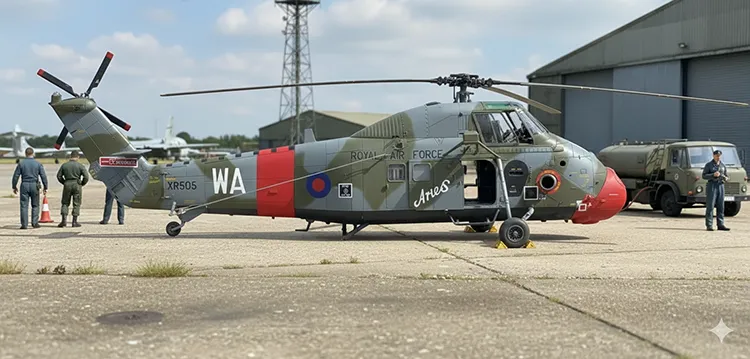
Military scale model with AI-generated background using Google Gemini
(Photo: I created this image in about 2 minutes, never having used the Google Gemini app before – see below)

Why AI Is Revolutionising Scale Model Photography

The whole subject of Artificial Intelligence (AI) is huge and is beginning to affect every area of our lives and as such is not one I want to argue the rights and wrongs about here in SMN. For sure there are ethical issues in using aspects of the AI technologies and I will leave you to explore that elsewhere – I am much more concerned about some of the simple, practical uses AI offers us as scale modellers, such as creating realistic backgrounds for any photos we might take of our completed scale models.

You will have seen that Dave Muscroft has created a great series of entries covering all aspects of established approaches to photographing scale models using cameras, other equipment and in Part 4, especially, a Smart phone, like iPhone (see your Techniques Bank-Model Weathering and Finishing Techniques-Photography). I will be creating a new TB entry on how I use my iPhone to photograph my models (during the build and the finished models) later this month, so do watch out for that.

As I create this piece in January 2026, I think that I am still in shock after having a very quick play with the Google Gemini app that I recently downloaded after a tip from Dave C who has used it for his ‘A Tale of Two Jags’ double build of the Airfix 1:48 scale SEPECAT Jaguar (currently in Build Now and when finished in the Airfix pages of Aircraft-Finished Now). I’m discovering that using AI tools like Google Gemini, you can create realistic diorama backgrounds for your scale models.

View some sample imagery created with Google Gemini app at the end of this article

Introducing Google Gemini: AI for Stunning Model Photos

Firstly, what is it?

Here is what Google say:
Google Gemini is Google’s advanced family of multimodal AI models (like Ultra, Pro, Nano) that understand and generate text, code, images, audio, and video, powering a versatile AI assistant for complex tasks, brainstorming, content creation, and deep integration across Google products (Assistant, Workspace, Pixel phones) to enhance search, productivity, and daily life. It functions as a powerful chatbot (formerly Bard) and an embedded AI helper, offering features like generating images, summarizing documents, planning trips, and providing real-time help via voice, text, or photos, all while leveraging Google Search for factual grounding.

Now I don’t know about you, but I get some of that, and some, has gone straight over my head – no matter… we can use this app for photographing scale models to create great backgrounds for our models.

What’s even better, at present, Google Gemini (GG) is free to download. Unless you are a professional who is likely to hammer the use of the app, then there will be charges. For the level of use we are likely to need and use as scale modellers, hopefully the app will continue to be free to use – fingers crossed!
DOWNLOAD GOOGLE GEMINI VIA APPLE STORE
DOWNLOAD GOOGLE GEMINI VIA PLAY STORE
Steps to use Google Gemini app for photos

What follows is a simple guide and walk through my first experiences of using the GG app to create a background for my Airfix 1:72 Westland Wessex HC.2 (see the full build in SMN). I use an iPhone 12 Pro phone for everything scale modelling and have done for the past 5 years or so.

Step 1

– choose an image from your iPhone
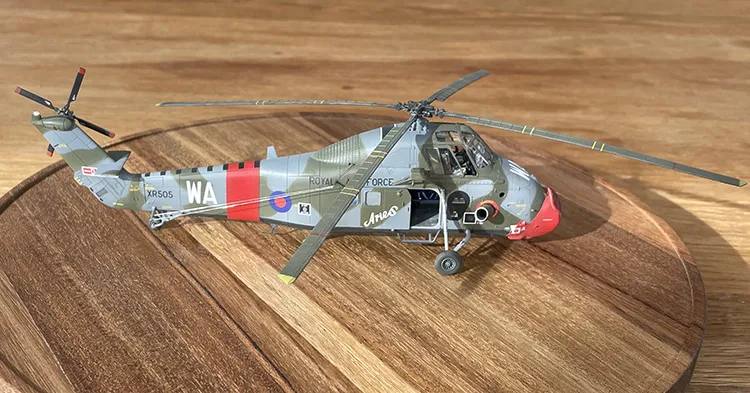
Here is one I shot on the conservatory table in natural light (not direct sunlight), no flash nor additional lighting. I took the image from about 2 feet (24ins), 60cm away and cropped to get a better balanced composition of the shot.

Step 2

– open the Google Gemini app and you should get this page…

Step 3

– click Create Image at the top of the list of four options and you should get this page…
Step 4

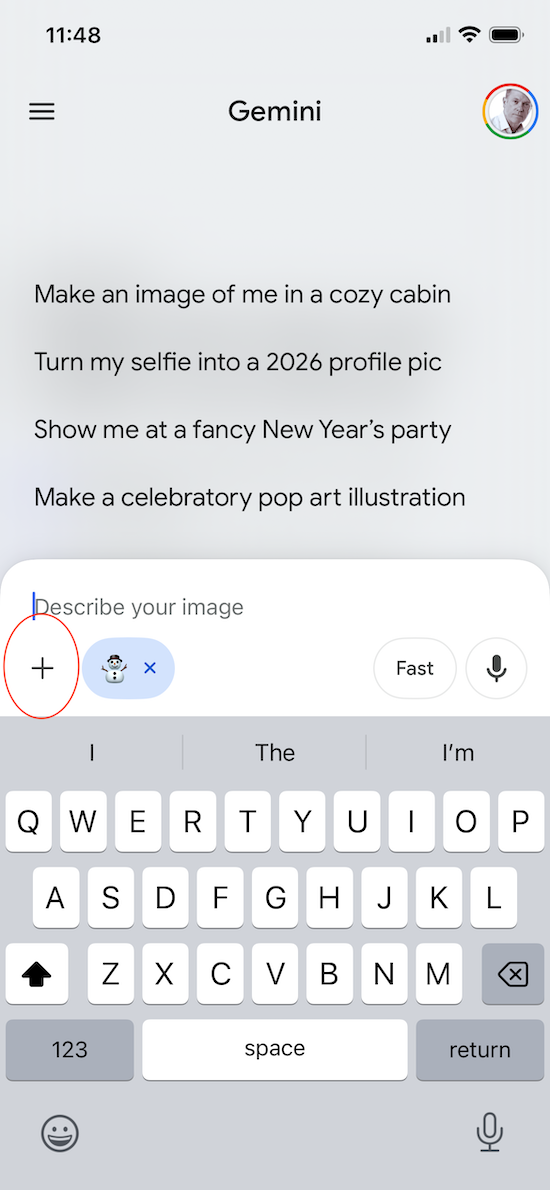
– click the ‘+’ sign (circled in red), assuming you are going to choose an image from your Photos library on your iPhone (as I did in this example). You can also take a pic there and then or select a pic from your Files app on your phone.
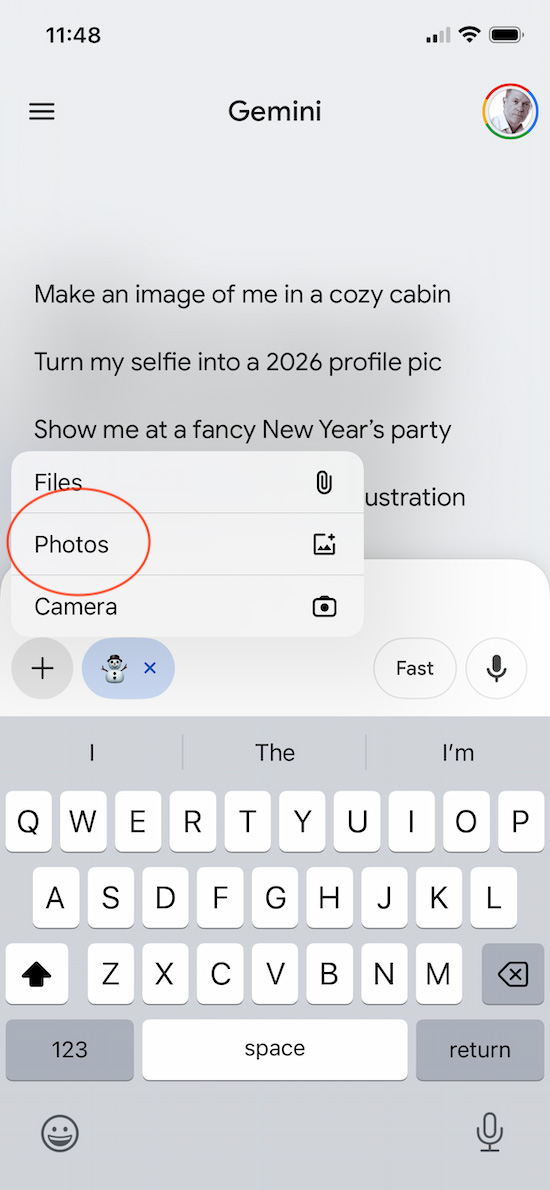
This takes you to your Photos library and I chose the image in Step 1 above that I wanted to create a background for. This brings up the following screen…

Step 5

– You will see your image and then asked what text you want to describe your image? I typed in the text box the following request:

Westland Wessex helicopter parked on an RAF hard standing at its base then clicked the chevron to the right of the screen and the app did its thing. After about 30 seconds it created this image…
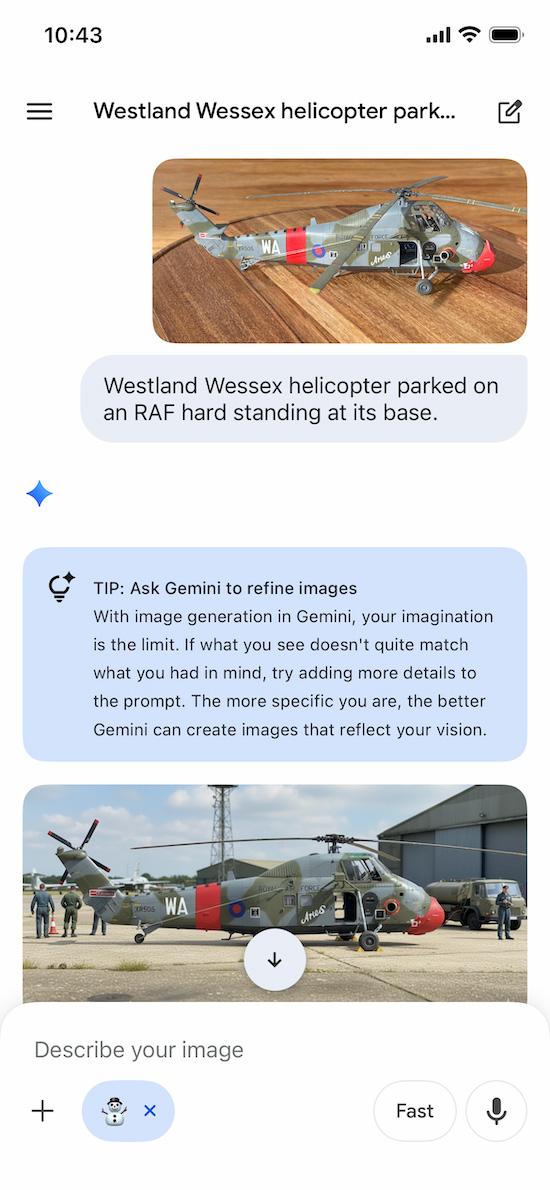
Step 6

– save your image by clicking the down arrow in the white circle on the new image.

And that’s it!

A few things to note and a few tips…

Firstly, look at the new image, the GG app had done some amazing things in my view:

  • Changed the aspect of the helicopter so that it looks like you are looking at the real thing from ground level
  • Added in shadows and sun direction
  • Added in ground personnel and vehicles
  • Even added wheel chocks to the main wheels
  • Other details and background…
  • Note that AI isn’t perfect though (see Westland Wessex Inage above) and for some reason it has created a door on the port (left) side of the cabin – you can try removing it with subsequent refinements in the description field or fill this in by editing with your own software

Also…
Be as specific as you can when describing what you want in the text before your image is created – you’ll get much better results
You can keep changing and adding/editing what you are getting by further refining your description.

Slideshow Gallery with brief explanations
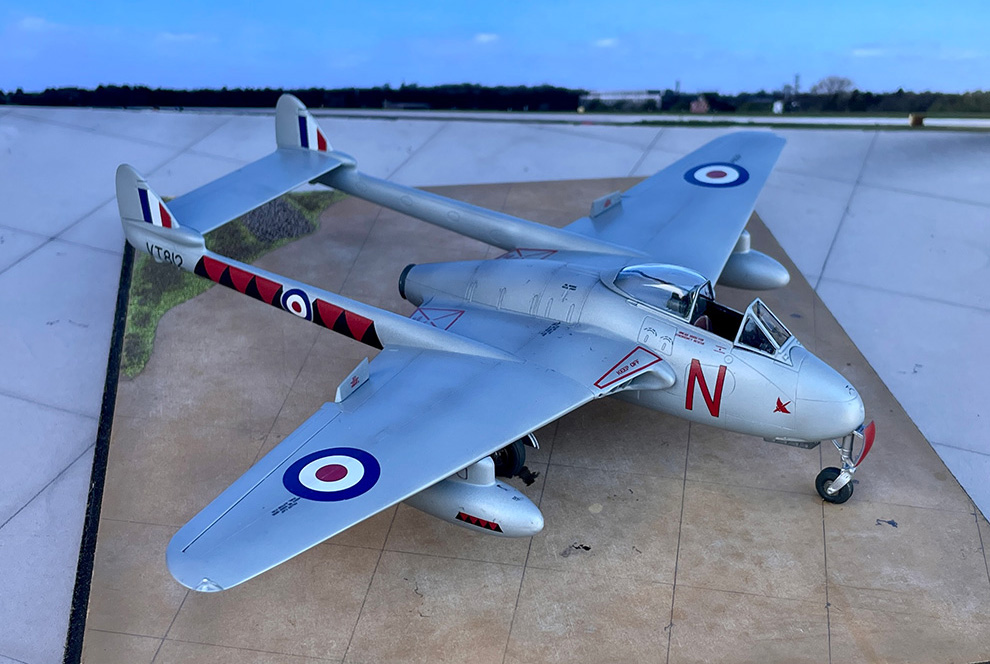
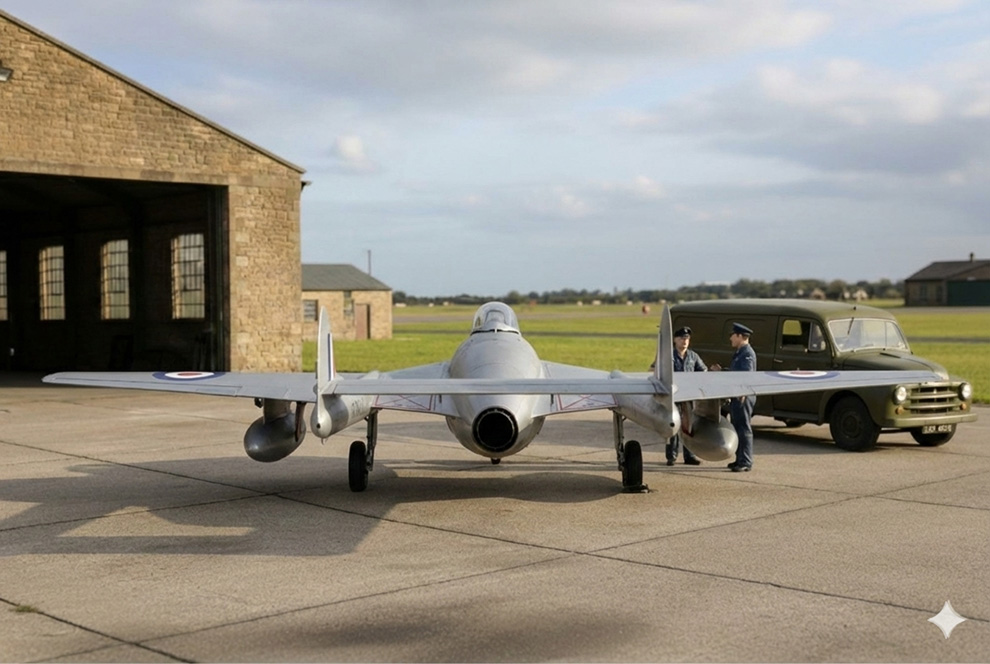
  • This is my completed Airfix De Havilland Vampire F.3, 1:48 shot on a display board with an A2 size photo for the background. I used my iPhone 12 Pro as I have for all my photography to date. The model was placed outside on an overcast but bright day.
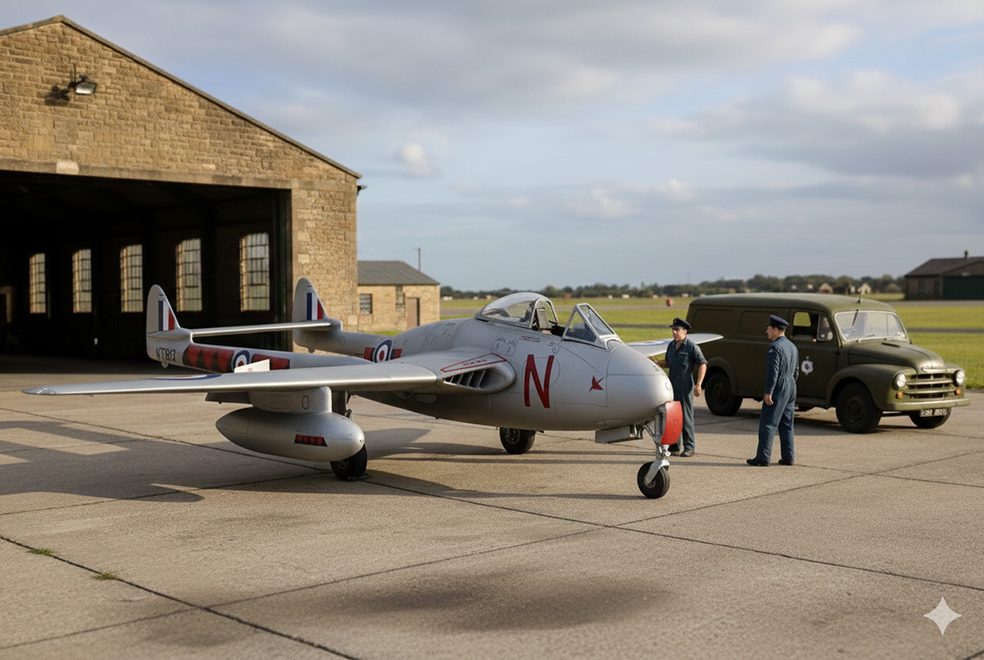
  • Described the image: Set this RAF De Havilland Vampire in an authentic RAF station from the 1950s with RAF ground crew and vehicle
  • Described the image: Keep this scene. Change the viewing point as if standing behind the aircraft looking towards the two ground crew members standing by the vehicle. As you can see, the app moved the aircraft, so you don’t always get what you ask for but with practice I’m sure this will improve on both sides. The images look good I think and definitely add something to the presentation of the model such as: composition, lighting, shadows and atmosphere.
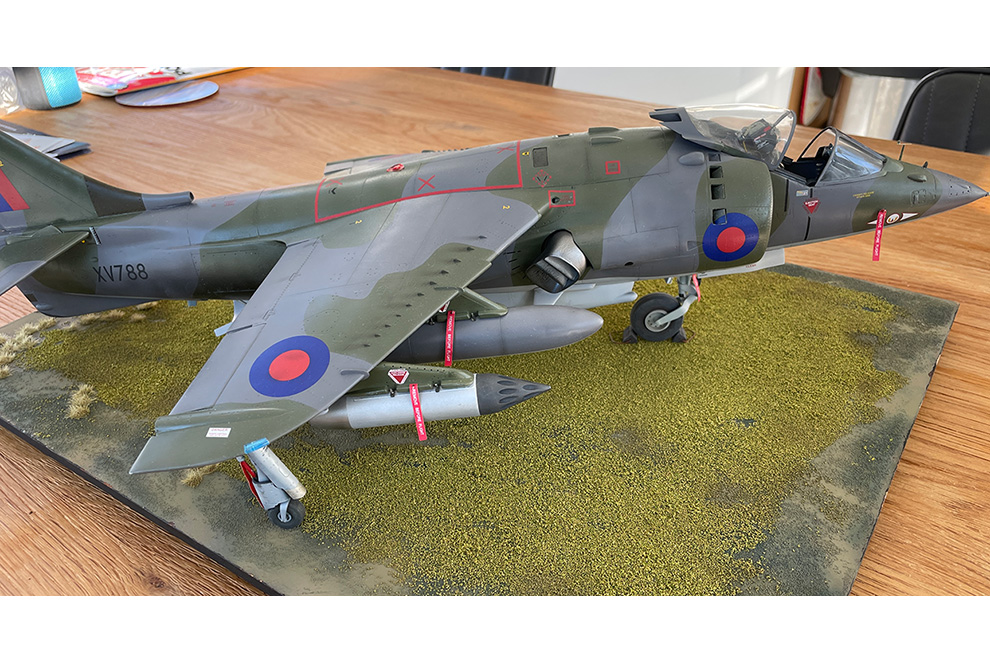
  • This is my completed build of the big Airfix 1:24 scale HS Harrier GR.1. A labour of love for sure. The model is quite big and I struggled to get a decent base and backdrop that looks half realistic.
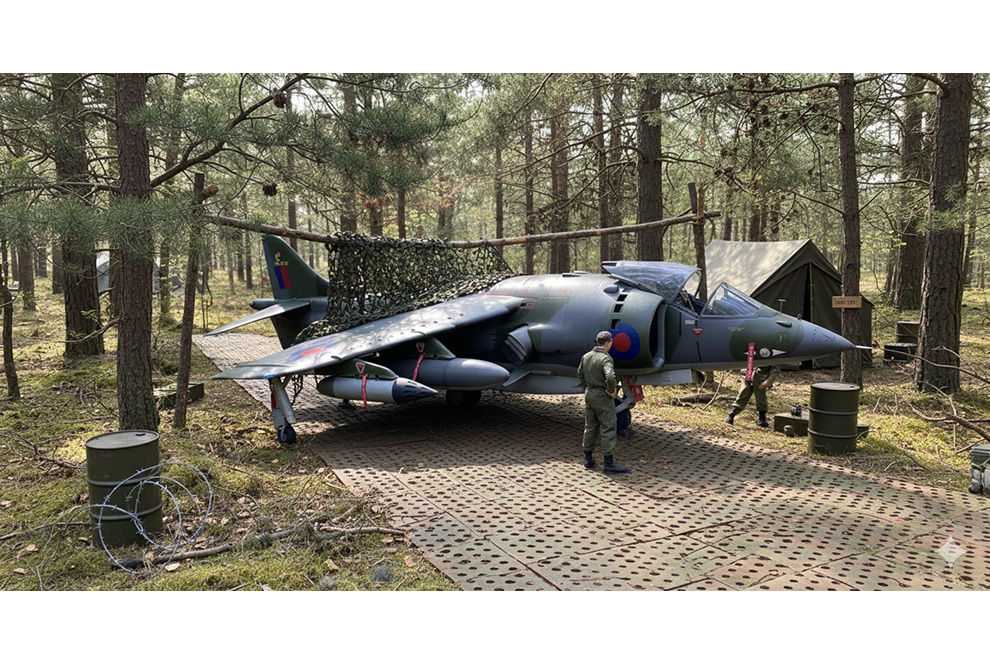
  • I described what I wanted in the Gemini app text box: Place this Hawker Siddeley Harrier GR.1 in a forest lair on a PCP plating taxiway near RAF Bruggen in Germany in the late 1970s. And this was the result. I really like the presentation of the model and is much better than I could have done.
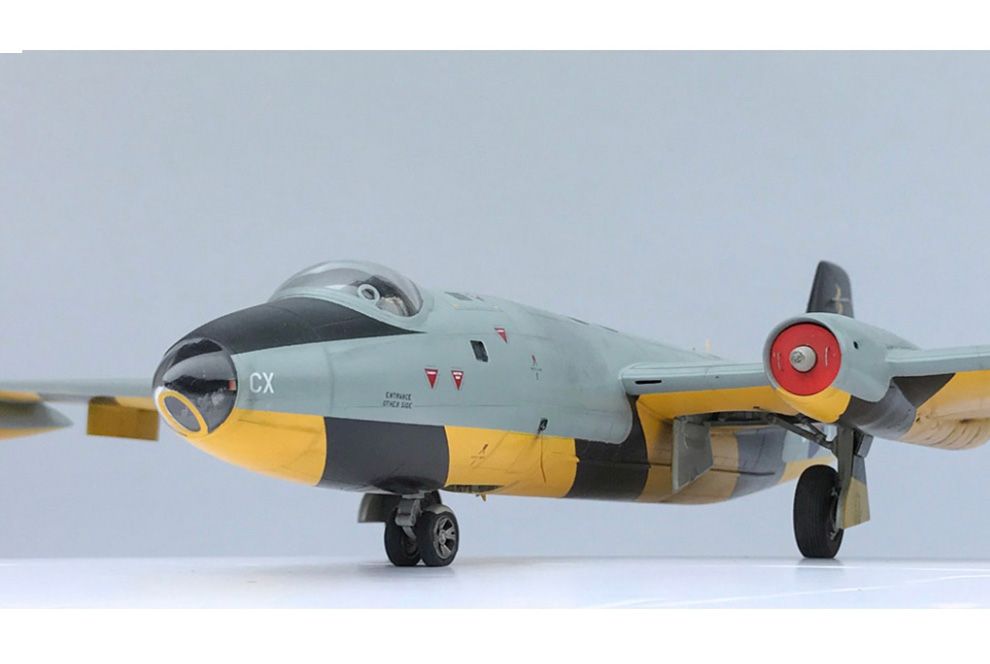
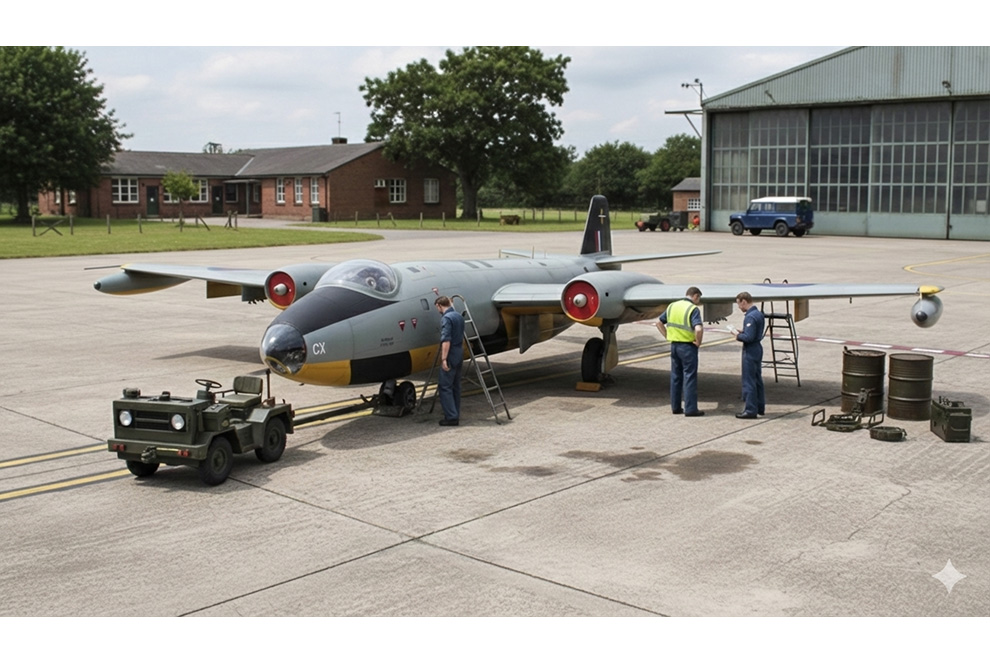
  • Here is my completed Classic Airframes English Electric Canberra TT.18, 1.48. Shot on an iPhone 12 Pro outside in sheltered bright sunlight.
  • I described the image I wanted: Place this English Electric Canberra TT.18 in a realistic hardstanding at its base at RAF Wyton. And this was the result. I like what the ap has done and being as specific as you can will always help you to get a better result with the GG app first time. It’s not always easy to get the app to change the image created. With practice, we both get better!

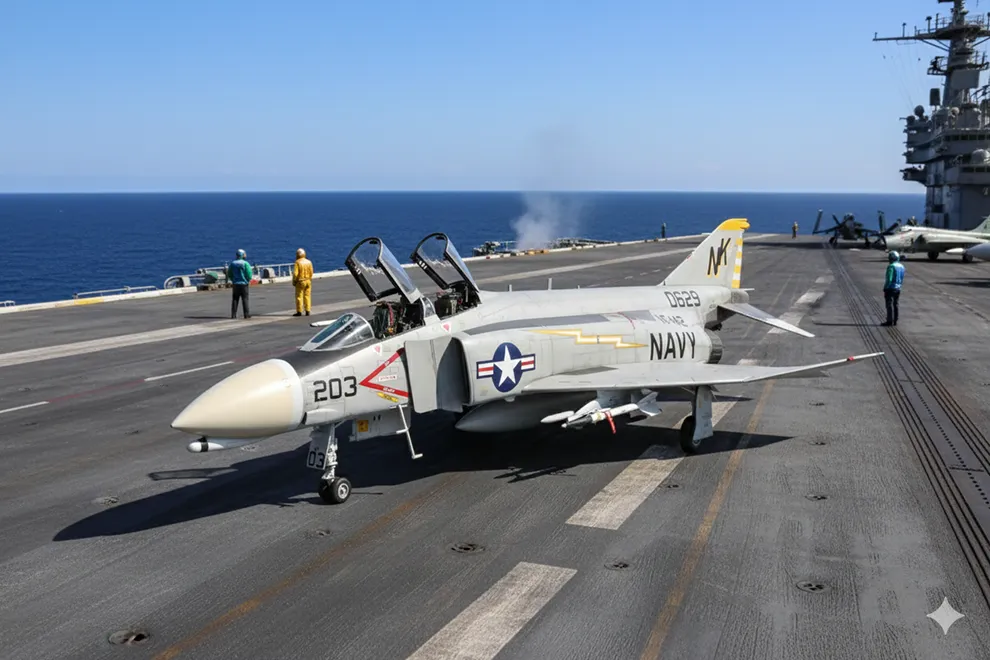
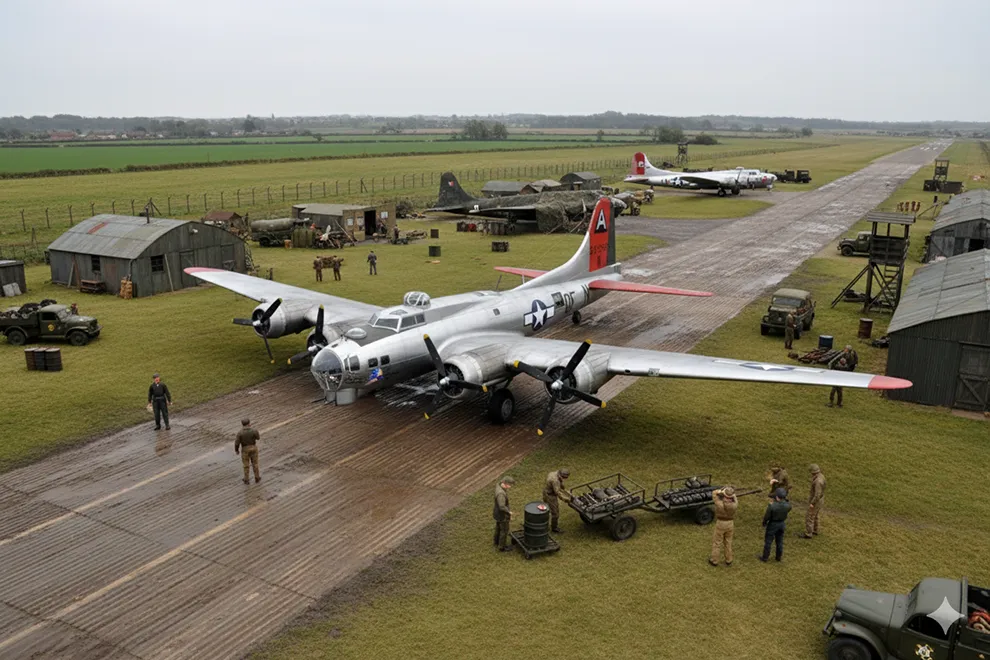
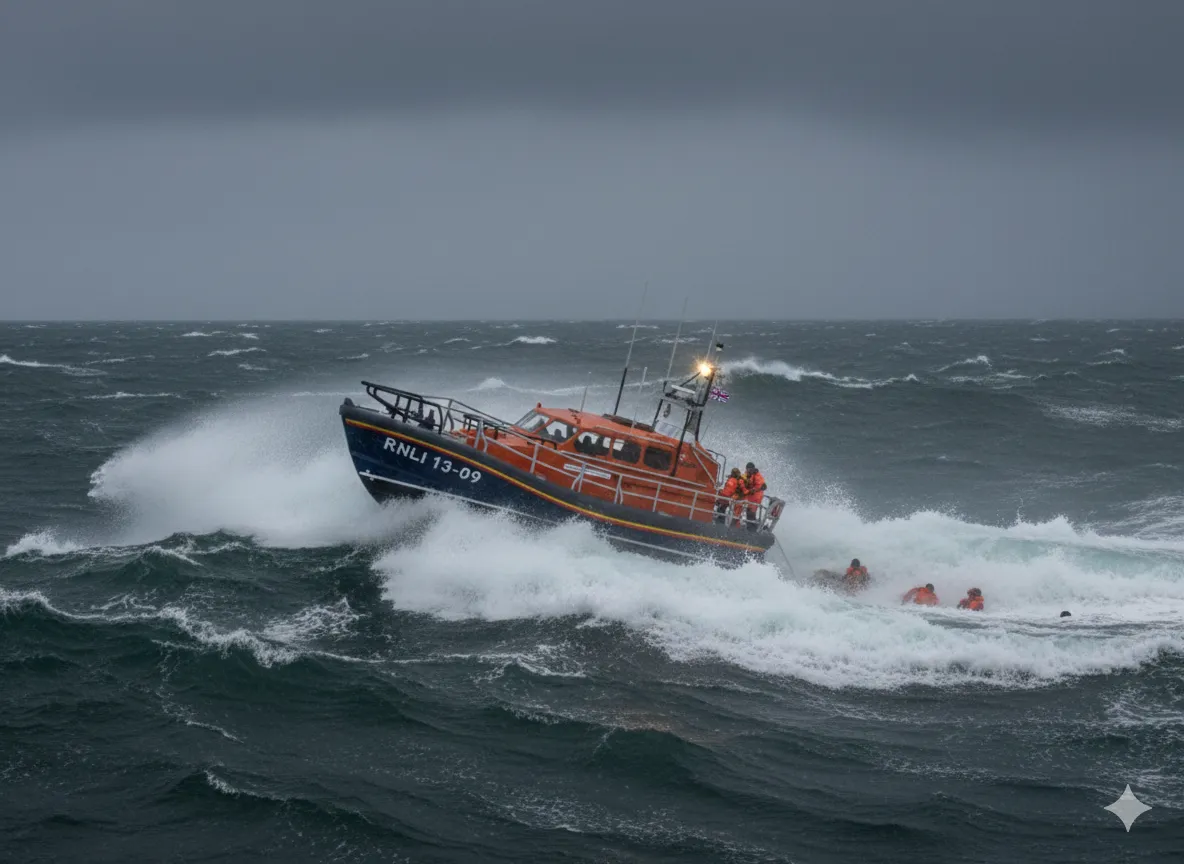
And four more images enhancing scale model photos with AI apps

British CVR [T] FV107 Scimitar
Tamiya F-4B Phantom II
Airfix Boeing B-17G Flying Fortress
Shannon class rnli lifeboat
Airfix Shannon class RNLI lifeboat

What next?

This is only the start in my view because you can create all kinds of effects and backgrounds with your photos and so this is definitely a case of watch this space!

Hope this short ‘starter for ten’ has inspired you to have a go too…?
Geoff C.

Read more about things to try with Google Gemini app to Create realistic diorama backgrounds with AI

(This content is for subscribers only)

🔒 Not a subscriber yet?
You can access a vast range of scale modelling techniques and finished builds on our website with a full subscription. So join the SMN Modelling Community today!

For just £1.50/month (£18/year), you’ll get:
✅ Unlimited access to all the Techniques Bank plus 4,500+ in-depth build reviews
✅ Exclusive videos and how-to masterclasses
✅ New content added every week
✅ Cancel anytime

(That’s less than the cost of one paint pot per month!)

SO WHY NOT JOIN NOW? — Get Instant Access

Primary Sidebar

LOGIN/LOGOUT

Lost your Password?


modelfinishing techniques-landing Painting Techniques Weathering Techniques

Model Finishing Techniques

  • AK Weathering Pencils
    • How to use metallic weathering pencils Part 1
    • How to use the non-metallic weathering pencils – VIDEO DEMO
    • Metallic Effects Set AK 10046 – VIDEO DEMO
  • Chips & Scratches
    • Adding chips and scratches to your AFVs
    • Aluminium paint chipping – paintbrush approach – VIDEO DEMO
    • Armour paint chipping: sponge – VIDEO DEMO
    • Armour paint chipping: brush – VIDEO DEMO
    • Chipping Effect on a Zaku – how to do it with Mig Jimenez – VIDEO DEMO
    • Heavy scratches and chips using Frisk Artists’ Blue Mask – VIDEO DEMOS
    • How to chip Mr – Color paint
    • How to Paint Winter Camouflage – AMMO ATOM
    • Japanese WWII aircraft paint chipping
    • Paint chips and scuffs on aircraft – VIDEO DEMO
    • Speckling technique for bombs, shells and stores
    • Sponge chipping
    • Use Marmite of course! Love it or hate it, it works!
    • Weathering wing roots with Ralph Riese
    • Winter white wash paint chipping – 5 VIDEO DEMOS!
  • Decals
    • Applying decals
    • How to Apply Decals using AMMO Decal Set and Fix – Video
    • How to Use the AMMO Hot Dog Hot Air Gun – Video
    • Applying decals with Klear/Future for a painted-on look – Video Demos
    • Eliminating paint ridges left from masking – Video
    • How to use Humbrol Decalfix
    • How to remove decals from your model – technique – VIDEO DEMOS
    • Preventing translucent see-through effect with white decals
    • ‘Silvering’ getting rid of it
    • Ultimate Decal Solution Holder (for Micro Set and Sol) – VIDEO DEMO
    • Using Mr Mark Setter as both a setter and softening agent
    • Ultimate Decal Solutions, how to use them – VIDEO DEMO
    • Why a gloss finish?
  • Dirt, Grime and Streaking effects
    • Dirt, Grime and Streaking effects
    • How to use AMMO Shaders
    • How to use AMMO Streakingbrusher Effects
    • Streaking Effects, how to by Mig Jimenez – VIDEO DEMO
  • Display Bases
    • Aircraft models displayed in flight
    • Armour multi-purpose base
    • Charred wood effects for dioramas
    • Creating a heavy seas seascape
    • Cracked concrete for diorama bases – VIDEO DEMO
    • Creating a maritime diorama – Fairey Swordfish Mk.I
    • Diorama Accessory Kits
    • How to create realistic concrete roads and slabs
    • How to make a simple Diorama Base : Normandy 1944 – VIDEO DEMO
    • How to make a muddy field and muddy road – VIDEO DEMO
    • How to make a simple grass field base – VIDEO DEMO
    • How to make a seascape scale model diorama tutorial – VIDEO DEMO
    • How to create an aircraft display base in 30 minutes! – 12 VIDEO DEMOS
    • Flockit Static Grass Applicator – how to use it! – 3 VIDEO DEMOS
    • Frosty covered ground for tanks
    • Groundwork and seascape tips
    • Modern jet aircraft base
    • Mounting a Leopard on a realistic base
    • Painting the Desert Diorama for Star Wars Figures – Part 1 – VIDOE DEMO
    • Painting the Desert Diorama for Star Wars Figures – Part 2 – VIDEO DEMO
    • Ready made options
    • Reality in Scale Landscape Mats – VIDEO DEMO
    • Running stream effects base – VIDEO DEMOS
    • Seascapes for 1:700 ships
    • Seascape for waterline ships
    • How to work with tropical vignettes – VIDEO DEMO
    • How to use the AMMO Winterizer Real Snow Set
  • Dust & Mud
    • Adding mud to your AFVs
    • Dust and streaking with pigments – VIDEO DEMO
    • How to Paint a Car Transporter Trailer – AMMO ATOM Paints
    • Mud with chipping effect with Mig Jiménez – VIDEO DEMO
    • Mud effect with plaster, how to by Mig Jimenez – VIDEO DEMO
    • Splash wet mud by Mig Jimenez – VIDEO DEMO
    • Weathering oil drums – 9 VIDEO DEMOS!!
    • Splash dry mud by Mig Jimenez – VIDEO DEMO
    • Ultimate Pigments – how to use them
    • Weathering wheels and tyres
    • Winter camouflage effect – VIDEO DEMO
  • Exhausts
    • Exhaust stacks (on WW2 aircraft)
    • How to create realistic aircraft exhaust staining
    • Metallic Effects on Exhaust outlets
  • Filters & Washes
    • Applying an oil wash over flat acrylic paint – VIDEO DEMO
    • Armour Filters – VIDEO DEMO
    • Armour Wash – VIDEO DEMO
    • Filters for aircraft
    • Filters for washes
    • Panel line washes with AMMO PLWs – 2 VIDEO DEMOS
    • Panel Line Washing With Lighter Colours
    • Weathering washes, an introduction
  • Pastels
    • Post-shading panel lines with pastels
    • Using pastels to apply German armour camouflage pattern
    • Using pastels to weather paintwork (on military aircraft)
  • Photography
    • Aircraft models displayed in flight
    • Photographic lighting set-up
    • Photo setup with Gilles Pepin
    • Scale Plastic Modelling Photography
    • Scale Modelling Photography Techniques – Part 2
    • Scale Modelling Photography Techniques – Part 3
    • Scale Modelling Photography Techniques – Part 4
    • Taking Photos of Your Models
  • Safety
    • Basic safety equipment – introduction – VIDEO DEMO
  • Varnishes
    • How to spray Alclad2 clear varnishes onto water-based acrylic paint – VIDEO DEMOS
    • How to spray Alclad2 clear varnishes onto Alclad2 Metallic Lacquers – VIDEO DEMOS
    • How to Use Hard Rock Glossy Varnish
    • Humbrol Acrylic Varnish, how to spray it and key points – VIDEO DEMOS
  • Weathering Aircraft
    • AMMO Lock N Load Weathering Pencils – How to use them
    • Bi-plane wings, highlighting ribs and shadows – VIDEO DEMOS
    • Dry-brushing
    • Dry brushing with AMMO Dio Drybrush Paint – VIDEO DEMO
    • Exhaust stacks (on WW2 aircraft)
    • Extreme weathering on aircraft – salt!
    • Highlighting panel lines
    • How to paint and weather cockpits – VIDEO DEMO
    • Metallic effects on exhaust outlets
    • Post-shading panel lines with pastels
    • Salt Technique for heavy wear and tear
    • Ultimate Pigments – how to use them
    • Undercarriage units
    • Weathering stages on a Luftwaffe WWII subject
    • Weathering wheels and tyres
  • Weathering Locomotives
    • Weathering a Loco
  • Weathering Military Vehicles
    • AMMO Lock N Load Weathering Pencils – How to use them
    • Applying metal pigment with a Rubber Brush – VIDEO DEMO
    • Dirt, Grime and Streaking effects – VIDEO DEMO
    • How to Paint Winter Camouflage – AMMO ATOM
    • How to make vertical water marks on your tank – VIDEO DEMO
    • Spilled fuel and oil stains, how to with Mig Jiménez – VIDEO DEMO
    • Streaking Effects, how to by Mig Jimenez – VIDEO DEMO
    • KO Sherman rust, burnt effects
    • Ultimate Pigments – how to use them
    • Washes and Pigments on Rust with Mig Jimenez – VIDEO DEMO
    • Weathering tracks
    • Weathering tracks using Blacken-It
    • Weathering with hairspray
  • Weathering Ships
    • AMMO Lock N Load Weathering Pencils – How to use them
    • Creating a realistic looking wooden deck
    • Ultimate Pigments – how to use them
  • Weathering Sci-Fi, Fantasy
    • AMMO Lock N Load Weathering Pencils – How to use them
    • How To Use Aircraft and Spaceship Weathering Set
    • Weathering techniques for Star Wars Mos Eisley street scene

Copyright © 2026 · Scale Modelling Now · Online Scale Modelling Magazine · Scale Modelling Techniques and Tips · Privacy Policy